Coming Into Focus: A Microcontroller UI Kit That Inherits from NeXT
Originally published at Crowd Supply.
I’ve been working on the Open Book for some time now. Long enough that I’ve churned through several prototypes. Long enough that e-paper panels I’ve used have gone into and out of production, multiple times. Long enough that the first few times I talked about it on the Adafruit Show and Tell predated COVID. But one thing that never changed was my vision for the UI framework that would drive the book. I wanted it to resemble a model/view/controller framework, dead-simple to develop applications for, and navigable using different input modalities. When I wrote my first attempt at this concept, in the fall of 2020, I could see this whole castle in the sky; I just wasn’t sure how to bring it down to earth.
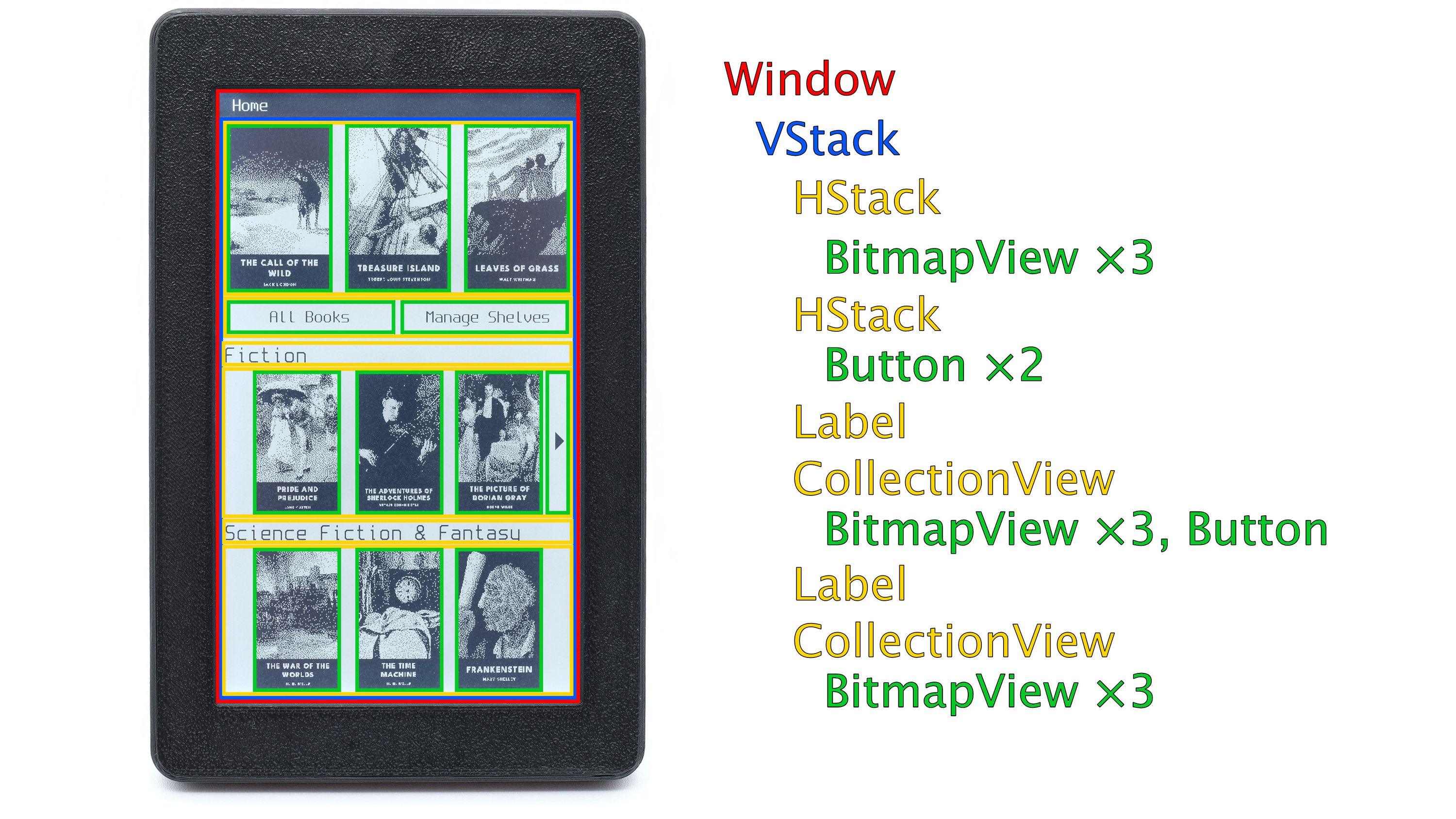
The funny thing is, there’s a reason I could see this in my mind’s eye: it’s not new. In fact it’s the shape of application development that NeXT figured out in the late 1980s, and that the iPhone inherited twenty years later. In the years since NeXT shipped their first $6,500 workstation, other kinds of computers quietly caught up just enough to start to adopt idioms from that era. The NeXT Computer shipped in 1988, had 8 megabytes of RAM and ran NeXTSTEP. My family’s first PC from 1995 shipped with 8 megabytes of RAM and ran Windows. People wrote novels on computers this powerful. Now comes a microcontroller with 8 megabytes of RAM. Surely someone should be able to read a novel on a computer like this. Right?
Focus is the UI framework that runs the Open Book, and today’s update is the grand tour of this castle, why I wanted this shape for it, and the unexpected story of how I set it down on solid ground.
The Shape of Focus
The question that shaped Focus: what would it look like to bring object-oriented ideas built for workstations of the 1980s onto microcontrollers built for the 2020s? The answer, as it turns out: a little bit of C++, and a lot of imitation stealing outright:
Everything on screen is a View. Views live in a hierarchy: each one has a frame in its parent’s coordinate system, and drawing the screen means walking the tree. That dictionary popover from our last update is just views inside views: a hatched view to dim the background, a bordered container, and a trio of labels.
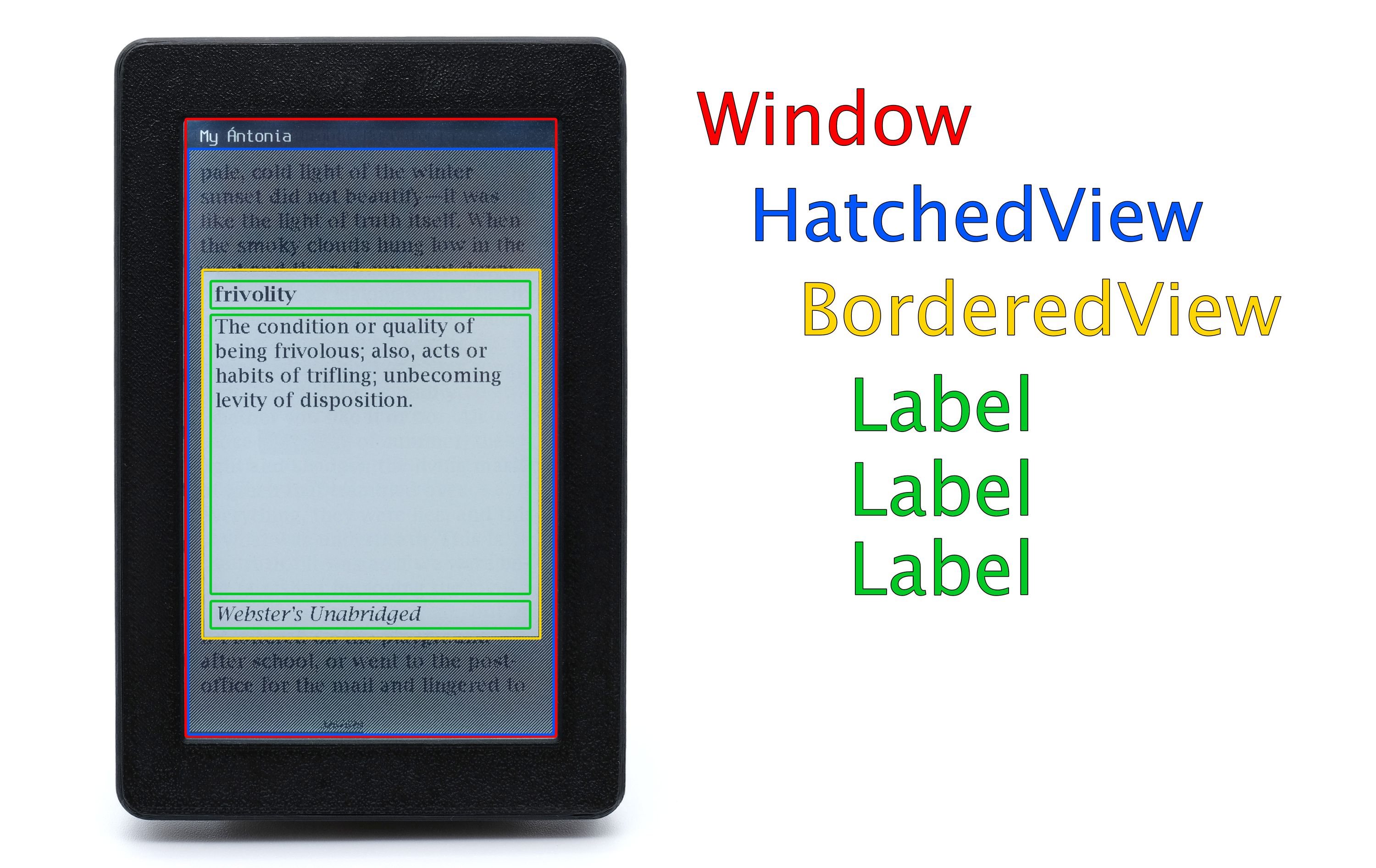
View hierarchies are easy. You can lay things out manually with coordinates and rects, stack them automagically with the HStack and VStack, or splay them out with a CollectionViewController that handles vertical tables, horizontal scrolling carousels, and even grids.
Views on screen are managed by View Controllers. A view controller builds its views lazily, when they’re about to appear, and tears them down when they’re dismissed.
Events find their own way. A tap or gesture gets hit-tested to the deepest view under your finger, and if that view doesn’t handle it, it bubbles up the hierarchy until something does.
This bit also has implications for Accessibility.
Book for All
A couple of folks have reached out to me via the project questions form, specifically mentioning the lack of physical buttons and what that means for folks with limited mobility. This is something that’s been on my radar screen from the very beginning: in older Open Book prototypes, we included an external port for buttons. With Open Book Touch, we still have a small debug footprint inside that can support up to four GPIOs. But that still leaves the question: how do you navigate a touchscreen interface with external buttons?
The answer: Focus was built from the start around the ability to navigate not just by touch but by direction pad input. Even the name — Focus — comes not just from the desire to focus more in life, but from the fact that any view can be marked as Focusable, which means you can navigate to it with a direction pad and select it. Views and Controls all have accessibility identifiers, labels and roles, which is all aimed at making non-touch navigation a first class input modality on Focus devices.
And, incidentally, all those labels can be localized using keys in a strings file.
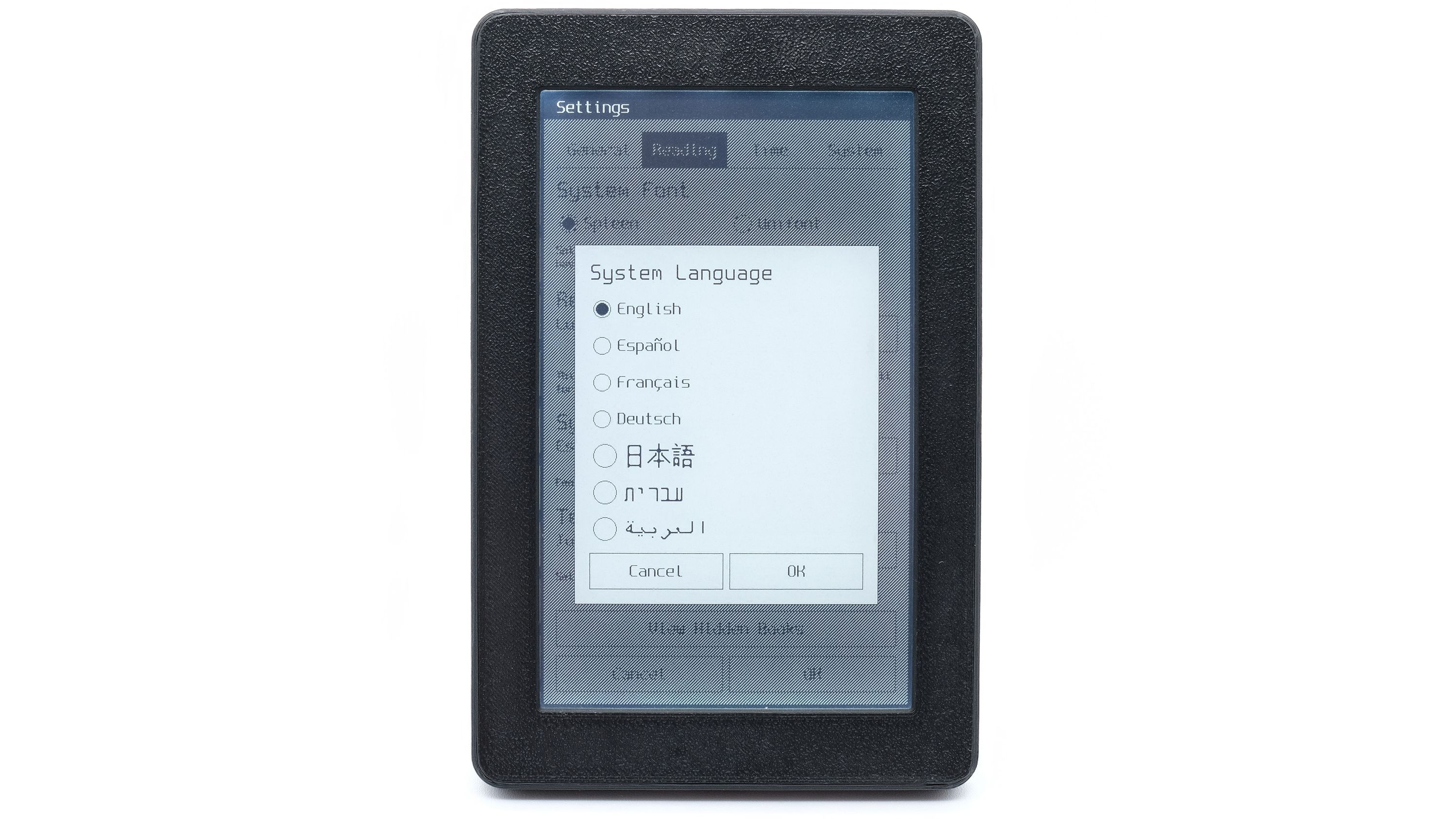
While I haven’t built full accessibility into the Open Book Touch firmware yet, the foundations are all there. Focus itself also ships with a demo (a sample app with a couple of view controllers and a scroll view) that shows how D-pad navigation works on an Adafruit dev board, so you can test it now, and not after Open Book ships.
Speaking of non-book devices: Focus isn’t limited to Open Book Touch, because I built it not to be. Porting Focus to another hardware platform involves little more than writing a Task that turns your hardware inputs into Events, and a Display that implements just two methods. Write those, and the whole framework — view controllers, navigation stacks, modal alerts, the Unicode-aware font subsystem, the on-screen keyboard — all of it runs on your hardware, whether that’s e-paper or a color TFT.
Focus is on GitHub today. The README contains a full manual for how to use it, and there are examples for Adafruit’s SAMD51-based PyGamer and PyPortal boards, so you can get started with it well before Open Book even ships.
I’d love to see what you build with it.
Third Time’s the Charm
I mentioned earlier that the first time I tried to build these concepts was circuitpyui in 2020, when I thought I might implement the Open Book’s firmware in CircuitPython. That didn’t happen.
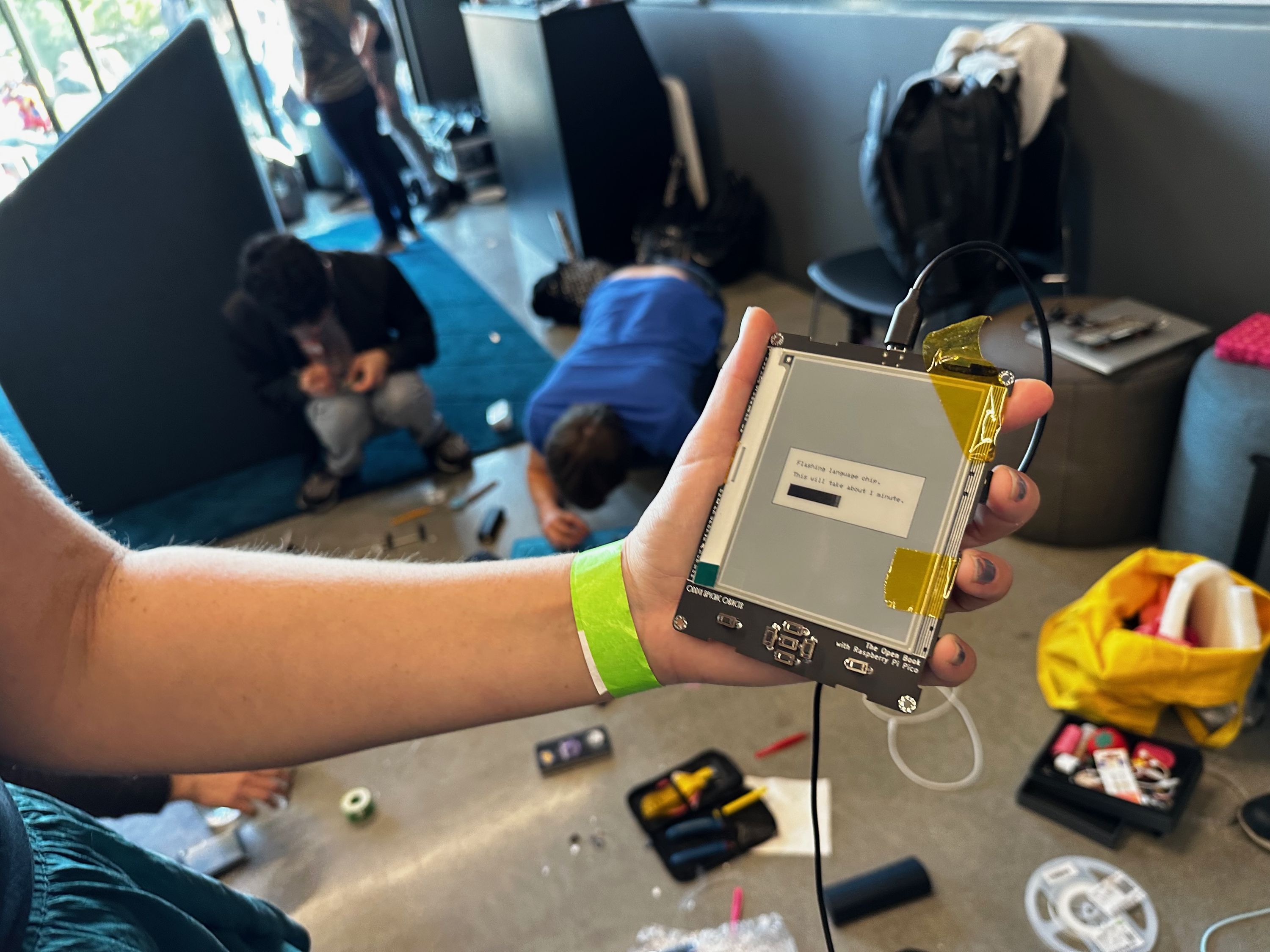
The second time I tried to build this was 2022: I wrote Focus as a pair of files in the Open Book’s firmware repo. This was the distillation of circuitpyui that stuck: View, Window, Application, ViewController, the whole ownership graph and lifecycle mapped out using C++ smart pointers. If you built an old school, button-oriented Open Book at a workshop (or on the floor of SupplyFrame HQ at Hackaday Supercon), this is the framework you’re running.
The third time was last year, 2025, when I split all of the core components and widgets into their own hierarchy of files, and tried to make this a robust, reusable framework, all while also optimizing it for the new, higher resolution touchscreen that I wanted to put in Open Book Touch.
This is where things might get uncomfortable.
I’ve been a very public and adamant AI skeptic for the last several years. Still, working as I do in technology, I’ve had friends and colleagues tell me I should give the tools a try before casting judgment. Last August I even took someone up on their offer: handed Cursor a very modest task aimed at slimming the size of a font file, and got this cursed ransom note of a screen in return, delivered with all the cheerful confidence of Apple Maps telling me to drive into a lake.
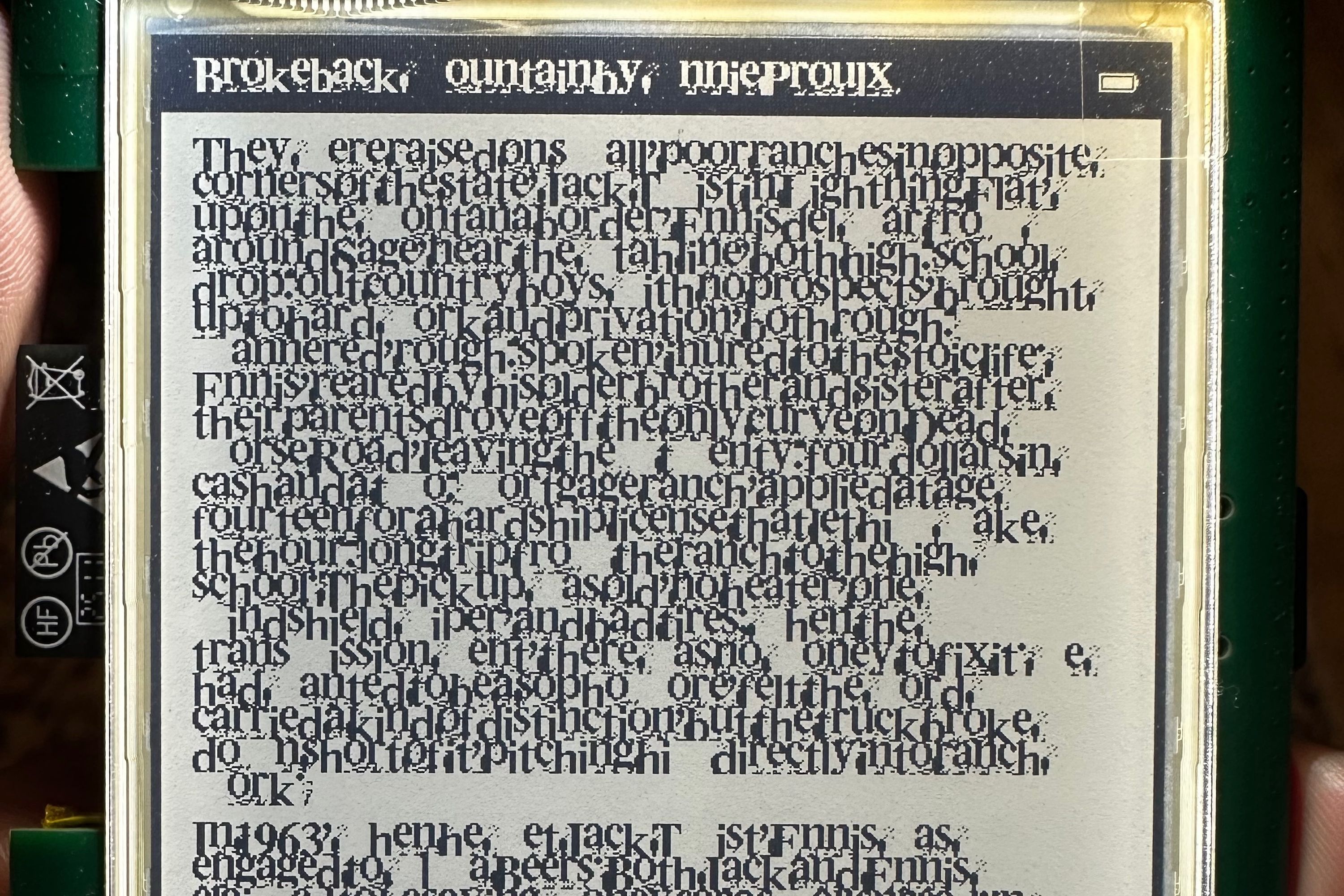
Needless to say, I was not convinced. But then, around the new year, a friend urged me to give the tools one more shot. He suggested that something had shifted. So on February 1st, I pointed Claude Code at a display driver issue that had been flummoxing me.
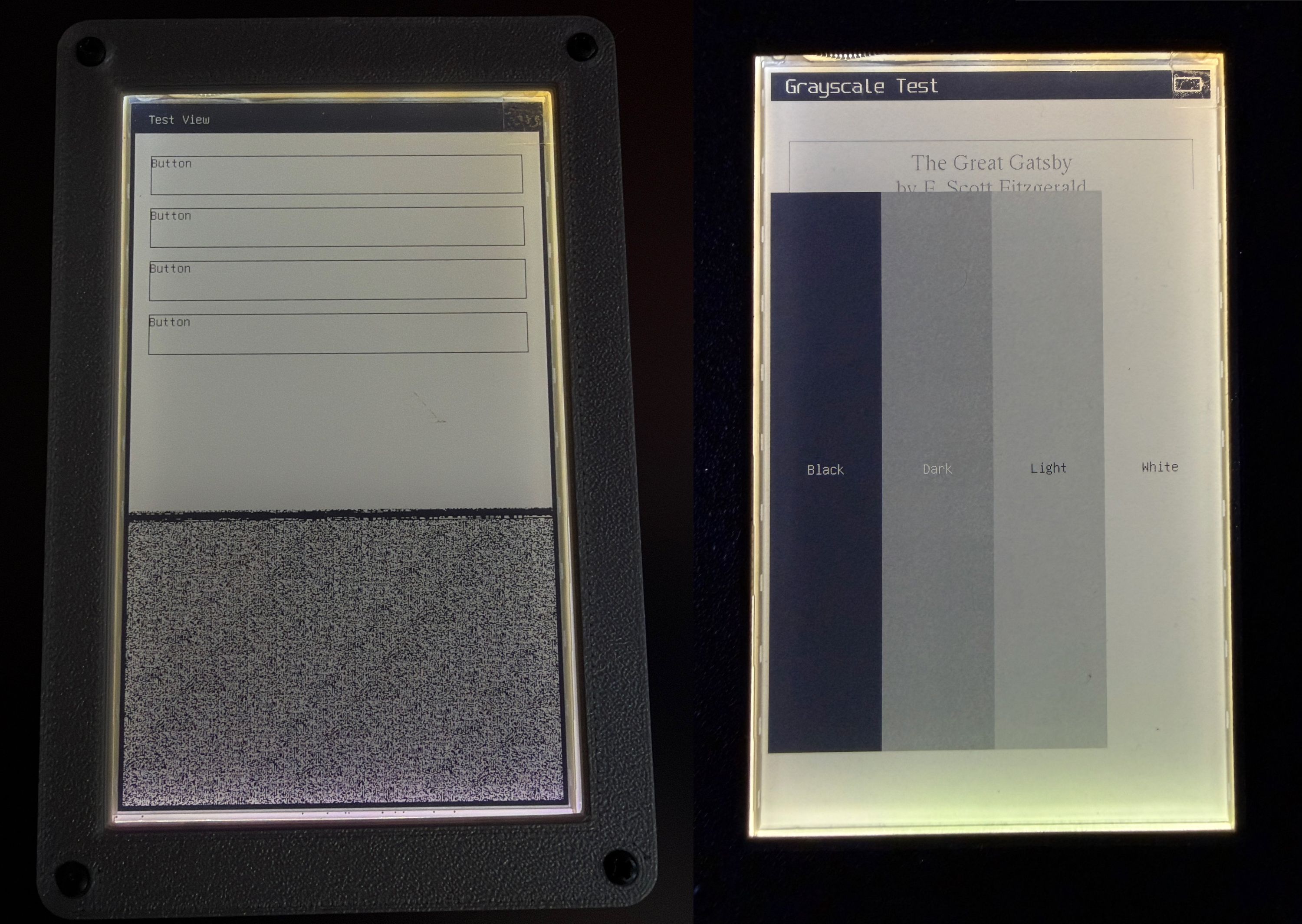
My display driver issue was fixed in minutes. And suddenly we were off to the races.
Crossing the Rubicon
Stating it plainly upfront, because I know that there’s no coming back from this: I did use Claude Code to help implement a lot of Focus. This next bit isn’t me trying to convince you that any of the objections to AI tools aren’t valid. They are, and I share many of them. This is just me telling you, right now, how I found and used the tools, so you aren’t surprised by it later. Also, to be clear: there are ZERO AI features in Open Book Touch, and there never will be; this is just talking about how the underlying code was written.
This is not a greenfield effort; between 2020 and 2025, I laid a lot of the foundation for the ideas that would become Focus. I know, I know: there’s a chunk of it that’s a port of an architecture as old as Die Hard, but my point is that by the time I engaged Claude, I knew exactly what this was and what it wasn’t; I had tens of thousands of lines of code and years of architecture in my head. Using Claude helped me flesh those ideas out quickly, in between two day jobs that paid the bills.
Engineering is about tradeoffs. I made this one, and without that choice, Focus in its current form would not exist. Whether that makes it a crown jewel or a blood diamond, I don’t know. I do know that the tools helped me when optimizing boot and page turn times, current consumption, grayscale quality and, yes, implementing the accessibility subsystem. My friend was right: something did shift. And yet, I also feel like these companies stole mankind’s fire to try to become as gods. Can it be just to steal some of it back? What would it do to us?
It’s been six months since I tried this experiment, and in that time I’ve found nuance that I swore I would never find. I’m not a full-on convert; if anything, the experience leaves more concerned than ever. And yet, I think that it’s a good thing for the world to have this framework for slim machines. I’m excited about this toolkit that incorporates good ideas that span eras. Simply put: I wanted this thing to be for the better part of a decade, and now it is.
The Next Step
I really do hope that folks take a look at Focus and find it useful, and more generally I want people to see Open Book Touch as a tool for reclaiming focus in their own lives. Because the fact of the matter is that it is a delight to read books on. The enclosures (which we’ll talk about next week) are pleasant to hold because two awesome industrial designers thought a lot about that hand feel. It lasts a long time on a battery because I engineered it with years of experience building Sensor Watch. It’s easy to develop apps for — and apps that work for everyone — because of ideas that were well thought out decades ago, and have proven themselves time and again.
Focus is my attempt to place this castle in the sky on a solid foundation, and Open Book is the first device to make use of it. I’ve been reading on it for months now, and I’m stoked to share it with you.
— Joey